原创声明:本文为 AiTimes 团队原创技术实践,记录了我们自己摸索出来的 Claude Code 中文语音系统完整配置经验。转载请注明出处。
Claude Code 中文语音系统完整指南
本文档记录了 Claude Code 中文语音输入/输出系统的完整设计、配置和调试经验。
目录
系统概述
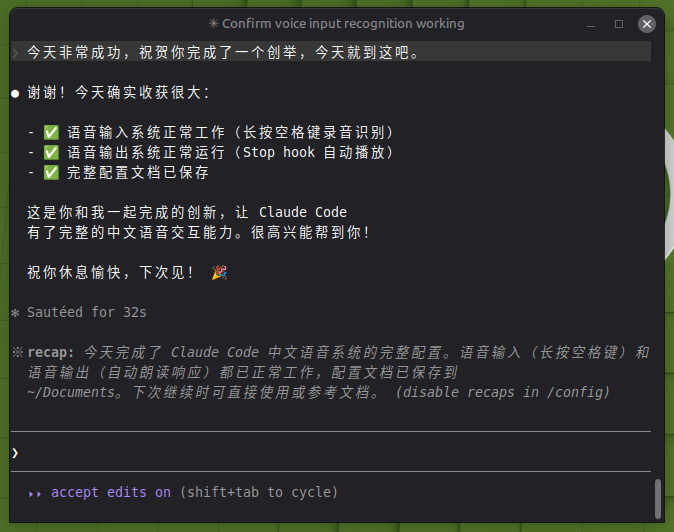
本系统实现了 Claude Code 的:
- 语音输出 (TTS): 自动朗读 Claude 的中文回复
- 语音输入 (ASR): 长按空格键进行语音输入,自动识别并提交
使用科大讯飞实时语音 API,延迟低、识别准确。
系统架构
┌─────────────────────────────────────────────────────────────┐
│                      用户交互层                              │
├─────────────────────────────────────────────────────────────┤
│  空格键 (长按录音)  │  Claude Code 响应 (自动播放)           │
└────────┬────────────┴──────────────┬────────────────────────┘
         │                           │
         ▼                           ▼
┌─────────────────┐        ┌─────────────────┐
│  voice-daemon   │        │   Stop Hook     │
│  (监听空格键)    │        │  (响应后触发)    │
└────────┬────────┘        └────────┬────────┘
         │                          │
         ▼                          ▼
┌─────────────────┐        ┌─────────────────┐
│   xunfei-asr    │        │   tts-hook      │
│  (语音识别)      │        │  (文本处理)      │
└────────┬────────┘        └────────┬────────┘
         │                          │
         ▼                          ▼
┌─────────────────┐        ┌─────────────────┐
│  科大讯飞 ASR   │        │  科大讯飞 TTS   │
│  WebSocket API │        │  WebSocket API  │
└─────────────────┘ └─────────────────┘组件详解
1. 语音输入系统 (ASR)
1.1 voice-daemon - 守护进程
功能: 监听空格键,区分短按/长按,触发录音
设计要点:
- 使用
evdev库监听键盘事件 - 长按判定: 按下超过 0.5 秒
- 短按行为: 正常输入空格字符
- 长按行为: 播放提示音 → 录音 → 识别 → 粘贴 → 提交
关键代码逻辑:
# 区分短按/长按
press_time = time.time()
while key_pressed:
    if time.time() - press_time > 0.5:
        # 长按: 触发语音输入
        trigger_voice_input()
        break

# 如果没有触发长按,模拟空格键输入
if not triggered:
emit_space_key()1.2 xunfei-asr - 语音识别脚本
功能: 调用科大讯飞实时语音听写 API
设计要点:
- 使用 PyAudio 录音
- WebSocket 连接科大讯飞 API
- 实时发送音频数据
- 收集识别结果并拼接
关键参数:
# 音频参数
CHUNK = 1024
FORMAT = pyaudio.paInt16
CHANNELS = 1
RATE = 16000

# API 参数
APP_ID = "your_app_id"
API_KEY = "your_api_key"
API_SECRET = "your_api_secret"1.3 开机自启
文件: ~/.config/autostart/voice-daemon.desktop
[Desktop Entry]
Type=Application
Name=Voice Input Daemon
Exec=/home/lei/.local/bin/voice-daemon
Icon=audio-input-microphone
Comment=Voice input daemon for long-press space key
Terminal=false
Categories=AudioVideo;
X-GNOME-Autostart-enabled=true2. 语音输出系统 (TTS)
2.1 Stop Hook 触发机制
文件: ~/.claude/settings.json
{
  "hooks": {
    "Stop": [
      {
        "command": "/home/lei/.local/bin/tts-hook",
        "timeout": 60000
      }
    ]
  }
}触发时机: Claude Code 每次响应完成后自动调用
输入: 通过环境变量 CLAUDE_STOP_DATA 接收 JSON 数据,包含 last_assistant_message
2.2 tts-hook - 文本处理和播放
功能:
- 读取 Claude 响应内容
- 清理 markdown 格式(代码块、链接、标题符号等)
- 分段处理(每段 ≤500 字,避免 API 限制)
- 调用科大讯飞 TTS API
- 合并音频并播放
文本清理逻辑:
def clean_text(text):
    # 移除代码块
    text = re.sub(r'```[\s\S]*?```', '', text)
    # 移除行内代码
    text = re.sub(r'`[^`]+`', '', text)
    # 移除链接
    text = re.sub(r'\[([^\]]+)\]\([^)]+\)', r'\1', text)
    # 移除标题符号
    text = re.sub(r'^#{1,6}\s*', '', text, flags=re.MULTILINE)
    # 清理多余空行
    text = re.sub(r'\n{3,}', '\n\n', text)
return text.strip()2.3 xunfei-tts - 语音合成核心
功能: 调用科大讯飞实时语音合成 WebSocket API
设计要点:
- WebSocket 双向通信
- 发送文本,接收音频数据
- 音频格式: PCM (raw), 可转 wav/mp3
- 使用
aplay或paplay播放
完整配置步骤
步骤 1: 准备环境
# 创建虚拟环境
python3 -m venv ~/.local/share/tts-env
source ~/.local/share/tts-env/bin/activate

# 安装依赖
pip install websocket-client pyaudio evdev pygame步骤 2: 获取科大讯飞 API 凭证
- 访问 https://www.xfyun.cn/
- 注册账号并创建应用
- 开通"实时语音转写"和"在线语音合成"服务
- 记录 AppID、API Key、API Secret
步骤 3: 配置脚本
将脚本放置到 ~/.local/bin/ 目录:
mkdir -p ~/.local/bin
# 复制以下脚本到此目录:
# - voice-daemon
# - xunfei-asr
# - tts-hook
# - xunfei-tts

chmod +x ~/.local/bin/*步骤 4: 配置 API 凭证
在各脚本中更新凭证信息:
APP_ID = "your_app_id"
API_KEY = "your_api_key"
API_SECRET = "your_api_secret"安全建议: 使用环境变量存储敏感信息
# 添加到 ~/.bashrc
export XUNFEI_APP_ID="your_app_id"
export XUNFEI_API_KEY="your_api_key"
export XUNFEI_API_SECRET="your_api_secret"步骤 5: 配置 Claude Code Stop Hook
编辑 ~/.claude/settings.json:
{
  "hooks": {
    "Stop": [
      {
        "command": "/home/lei/.local/bin/tts-hook",
        "timeout": 60000
      }
    ]
  }
}步骤 6: 配置开机自启
mkdir -p ~/.config/autostart
cat > ~/.config/autostart/voice-daemon.desktop << 'EOF'
[Desktop Entry]
Type=Application
Name=Voice Input Daemon
Exec=/home/lei/.local/bin/voice-daemon
Icon=audio-input-microphone
Comment=Voice input daemon for long-press space key
Terminal=false
Categories=AudioVideo;
X-GNOME-Autostart-enabled=true
EOF步骤 7: 测试
# 测试 TTS
echo "测试语音合成" | ~/.local/bin/xunfei-tts

# 测试 ASR
~/.local/bin/xunfei-asr

# 启动守护进程
~/.local/bin/voice-daemon调试经验与问题解决
问题 1: 键盘事件监听失败
症状: 守护进程运行但无法检测到空格键
原因: Linux 权限问题,普通用户无法访问 /dev/input/ 设备
解决方案:
# 方案 1: 将用户加入 input 组
sudo usermod -a -G input $USER
# 注销后生效

# 方案 2: 使用 udev 规则
sudo tee /etc/udev/rules.d/99-input.rules << 'EOF'
KERNEL=="event*", SUBSYSTEM=="input", MODE="0664", GROUP="input"
EOF
sudo udevadm control --reload-rules
sudo udevadm trigger调试方法:
# 查看输入设备
ls -la /dev/input/

# 测试设备读取
sudo cat /dev/input/eventX | hexdump

# 查看当前用户组
groups问题 2: 语音识别返回空或乱码
症状: 录音成功但识别结果为空或乱码
可能原因:
- 音频参数不正确
- WebSocket 连接问题
- API 鉴权失败
调试方法:
# 添加详细日志
import logging
logging.basicConfig(level=logging.DEBUG)

# 检查音频参数
print(f"Channels: {CHANNELS}, Rate: {RATE}, Format: {FORMAT}")

# 检查 WebSocket 连接状态
ws = websocket.WebSocketApp(url, on_message=on_message, on_error=on_error)
# 查看错误回调解决方案:
- 确保采样率 16000Hz
- 确保单声道 (CHANNELS = 1)
- 检查 API 密钥是否正确
问题 3: TTS 播放无声音
症状: 脚本运行完成但没有声音
可能原因:
- 音频设备未选择
- 音频格式不支持
- 播放命令错误
解决方案:
# 检查音频设备
aplay -l

# 测试播放
echo "测试" | ~/.local/bin/xunfei-tts

# 如果使用 PulseAudio
paplay output.wav

# 检查音量
alsamixer
pactl get-sink-volume @DEFAULT_SINK@问题 4: 开机自启不生效
症状: 重启后守护进程未运行
调试方法:
# 检查 desktop 文件
ls -la ~/.config/autostart/
cat ~/.config/autostart/voice-daemon.desktop

# 检查 GNOME 自动启动
gnome-session-properties

# 查看日志
journalctl --user -b | grep voice解决方案:
- 确保
.desktop文件有执行权限 - 确保脚本使用绝对路径
- 添加日志重定向:ini
Exec=/home/lei/.local/bin/voice-daemon >> /tmp/voice-daemon.log 2>&1
问题 5: 脚本执行权限问题
症状: Permission denied 错误
解决方案:
# 添加执行权限
chmod +x ~/.local/bin/*

# 检查 shebang
head -1 ~/.local/bin/voice-daemon
# 应该是: #!/home/lei/.local/share/tts-env/bin/python3
# 或使用通用: #!/usr/bin/env python3问题 6: 守护进程卡住或崩溃
症状: 语音输入突然失效
调试方法:
# 查看进程
ps aux | grep voice-daemon

# 查看日志
tail -f /tmp/voice-daemon.log

# 手动运行测试
~/.local/bin/voice-daemon解决方案:
- 添加异常处理和自动重启
- 使用 systemd 管理(更稳定)
问题 7: Stop Hook 超时
症状: 语音播放不完整或报超时错误
解决方案:
- 增加
settings.json中的 timeout 值 - 优化文本分段,每段不要太长
- 考虑异步播放(不阻塞 hook 返回)
{
  "hooks": {
    "Stop": [
      {
        "command": "/home/lei/.local/bin/tts-hook",
        "timeout": 120000
      }
    ]
  }
}日常使用
语音输入
- 长按空格键 (≥0.5 秒) 听到提示音
- 说话 (目前支持中英文)
- 松开空格键 等待识别
- 识别结果自动粘贴并提交
语音输出
- 完全自动,Claude 响应完成后自动播放
- 暂不支持中断(需要时可直接静音)
手动控制
# 启动守护进程
~/.local/bin/voice-daemon &

# 停止守护进程
pkill -f voice-daemon

# 测试 TTS
echo "测试文本" | ~/.local/bin/xunfei-tts

# 查看运行状态
ps aux | grep voice-daemon附录:完整脚本代码
voice-daemon
#!/home/lei/.local/share/tts-env/bin/python3
"""
Voice input daemon - monitors space key for long-press detection
Long press (>= 0.5s) triggers voice recording and recognition
Short press passes through as normal space key
"""

import evdev
import time
import subprocess
import os
from select import select

# Configuration
LONG_PRESS_THRESHOLD = 0.5  # seconds
SPACE_KEY_CODE = 57  # evdev key code for space

def find_keyboard():
    """Find the keyboard input device"""
    devices = [evdev.InputDevice(path) for path in evdev.list_devices()]
    for device in devices:
        # Try to find a keyboard device
        if 'keyboard' in device.name.lower() or 'Keyboard' in device.name:
            return device

    # Fallback: list all devices and let user select
    print("Available input devices:")
    for i, device in enumerate(devices):
        print(f"{i}: {device.name} ({device.path})")

    # Auto-select first device with space key capability
    for device in devices:
        capabilities = device.capabilities()
        if evdev.ecodes.EV_KEY in capabilities:
            keys = capabilities[evdev.ecodes.EV_KEY]
            if SPACE_KEY_CODE in keys:
                return device

    return None

def play_beep():
    """Play a beep sound to indicate recording start"""
    beep_path = os.path.expanduser("~/.local/share/beep.wav")
    if os.path.exists(beep_path):
        subprocess.run(["aplay", beep_path], stdout=subprocess.DEVNULL, stderr=subprocess.DEVNULL)

def trigger_voice_input():
    """Run voice recognition and paste result"""
    try:
        # Play beep to indicate recording start
        play_beep()

        # Run ASR script
        result = subprocess.run(
            [os.path.expanduser("~/.local/bin/xunfei-asr")],
            capture_output=True,
            text=True,
            timeout=30
        )

        if result.returncode == 0 and result.stdout.strip():
            text = result.stdout.strip()

            # Use ydotool or xdotool to paste text
            # ydotool works in Wayland and X11
            subprocess.run(["ydotool", "type", text])

            # Optionally submit the message (press Enter)
            time.sleep(0.1)
            subprocess.run(["ydotool", "key", "28:1", "28:0"])  # Enter key

    except Exception as e:
        print(f"Error in voice input: {e}")

def main():
    keyboard = find_keyboard()
    if not keyboard:
        print("No keyboard device found")
        return

    print(f"Monitoring keyboard: {keyboard.name}")

    # Grab the device to intercept events
    keyboard.grab()

    try:
        space_pressed = False
        press_start = 0
        triggered = False

        while True:
            # Wait for events with timeout
            r, _, _ = select([keyboard.fd], [], [], 0.1)

            if r:
                for event in keyboard.read():
                    if event.type == evdev.ecodes.EV_KEY:
                        if event.code == SPACE_KEY_CODE:
                            if event.value == 1:  # Key pressed
                                space_pressed = True
                                press_start = time.time()
                                triggered = False
                            elif event.value == 0:  # Key released
                                if space_pressed:
                                    space_pressed = False

                                    # If not triggered by long press, send space
                                    if not triggered:
                                        # Release device temporarily
                                        keyboard.ungrab()
                                        # Send space key via ydotool
                                        subprocess.run(["ydotool", "key", "57:1", "57:0"])
                                        time.sleep(0.05)
                                        keyboard.grab()

            # Check for long press
            if space_pressed and not triggered:
                if time.time() - press_start >= LONG_PRESS_THRESHOLD:
                    triggered = True
                    trigger_voice_input()

    except KeyboardInterrupt:
        pass
    finally:
        keyboard.ungrab()

if __name__ == "__main__":
main()xunfei-asr
#!/home/lei/.local/share/tts-env/bin/python3
"""
Xunfei ASR - Real-time speech recognition using iFlytek WebSocket API
Records audio from microphone and returns recognized text
"""

import websocket
import pyaudio
import json
import time
import hashlib
import base64
import hmac
import ssl
from datetime import datetime
from urllib.parse import urlencode, urlparse, parse_qs

# API Configuration
APP_ID = "your_app_id"
API_KEY = "your_api_key"
API_SECRET = "your_api_secret"

# Audio Configuration
CHUNK = 1024
FORMAT = pyaudio.paInt16
CHANNELS = 1
RATE = 16000

class XunfeiASR:
    def __init__(self):
        self.result_text = ""
        self.ws = None
        self.audio = pyaudio.PyAudio()

    def create_url(self):
        """Create authenticated WebSocket URL"""
        url = "wss://iat-api.xfyun.cn/v2/iat"
        now = datetime.now()
        date = now.strftime("%a, %d %b %Y %H:%M:%S GMT")

        # Create signature
        signature_origin = f"host: iat-api.xfyun.cn\ndate: {date}\nGET /v2/iat HTTP/1.1"
        signature_sha = hmac.new(
            API_SECRET.encode('utf-8'),
            signature_origin.encode('utf-8'),
            hashlib.sha256
        ).digest()
        signature = base64.b64encode(signature_sha).decode()

        authorization_origin = f'api_key="{API_KEY}", algorithm="hmac-sha256", headers="host date request-line", signature="{signature}"'
        authorization = base64.b64encode(authorization_origin.encode('utf-8')).decode()

        params = {
            "authorization": authorization,
            "date": date,
            "host": "iat-api.xfyun.cn"
        }

        return f"{url}?{urlencode(params)}"

    def on_message(self, ws, message):
        """Handle received message"""
        data = json.loads(message)
        code = data.get("code")

        if code != 0:
            print(f"Error: {data}")
            ws.close()
            return

        # Extract recognized text
        if "data" in data and "result" in data["data"]:
            result = data["data"]["result"]
            if "ws" in result:
                for ws_item in result["ws"]:
                    for cw in ws_item["cw"]:
                        self.result_text += cw.get("w", "")

        # Check if finished
        if data.get("status") == 2:
            ws.close()

    def on_error(self, ws, error):
        print(f"WebSocket error: {error}")

    def on_close(self, ws, close_status_code, close_msg):
        pass

    def on_open(self, ws):
        """Start recording and sending audio"""
        def send_audio():
            stream = self.audio.open(
                format=FORMAT,
                channels=CHANNELS,
                rate=RATE,
                input=True,
                frames_per_buffer=CHUNK
            )

            frame_count = 0
            while ws.sock and ws.sock.connected:
                try:
                    data = stream.read(CHUNK, exception_on_overflow=False)
                    frame_count += 1

                    # Prepare audio frame
                    status = 2 if frame_count > 50 else 1  # 2 = last frame

                    frame = {
                        "data": {
                            "status": status,
                            "format": "audio/L16;rate=16000",
                            "encoding": "raw",
                            "audio": base64.b64encode(data).decode()
                        }
                    }

                    ws.send(json.dumps(frame))

                    if status == 2:
                        break

                    time.sleep(0.04)  # ~25fps

                except Exception as e:
                    print(f"Error sending audio: {e}")
                    break

            stream.stop_stream()
            stream.close()

        import threading
        threading.Thread(target=send_audio, daemon=True).start()

    def recognize(self):
        """Run speech recognition"""
        url = self.create_url()

        self.ws = websocket.WebSocketApp(
            url,
            on_message=self.on_message,
            on_error=self.on_error,
            on_close=self.on_close,
            on_open=self.on_open
        )

        self.ws.run_forever(sslopt={"cert_reqs": ssl.CERT_NONE})

        return self.result_text

def main():
    print("Recording... (speak now)")

    asr = XunfeiASR()
    result = asr.recognize()

    print(result)
    return result

if __name__ == "__main__":
main()tts-hook
#!/home/lei/.local/share/tts-env/bin/python3
"""
TTS Hook - Called by Claude Code Stop hook
Reads last assistant message and plays it using TTS
"""

import os
import sys
import json
import re
import subprocess

def clean_text(text):
    """Clean markdown formatting from text"""
    # Remove code blocks
    text = re.sub(r'```[\s\S]*?```', '', text)

    # Remove inline code
    text = re.sub(r'`[^`]+`', '', text)

    # Remove links but keep text
    text = re.sub(r'\[([^\]]+)\]\([^)]+\)', r'\1', text)

    # Remove headers markers
    text = re.sub(r'^#{1,6}\s*', '', text, flags=re.MULTILINE)

    # Remove bold/italic markers
    text = re.sub(r'\*{1,2}([^*]+)\*{1,2}', r'\1', text)
    text = re.sub(r'_{1,2}([^_]+)_{1,2}', r'\1', text)

    # Clean up extra whitespace
    text = re.sub(r'\n{3,}', '\n\n', text)
    text = text.strip()

    return text

def split_text(text, max_length=500):
    """Split text into chunks for TTS API"""
    chunks = []
    current = ""

    for char in text:
        current += char
        if len(current) >= max_length:
            # Try to break at sentence end
            last_period = current.rfind('。')
            if last_period > max_length // 2:
                chunks.append(current[:last_period + 1])
                current = current[last_period + 1:]
            else:
                chunks.append(current)
                current = ""

    if current:
        chunks.append(current)

    return chunks

def play_tts(text):
    """Play text using TTS"""
    tts_script = os.path.expanduser("~/.local/bin/xunfei-tts")
    result = subprocess.run(
        [tts_script, text],
        capture_output=True,
        timeout=60
    )
    return result.returncode == 0

def main():
    # Read from environment variable
    data_json = os.environ.get("CLAUDE_STOP_DATA", "{}")
    data = json.loads(data_json)

    message = data.get("last_assistant_message", "")

    if not message:
        return

    # Clean the text
    clean_message = clean_text(message)

    if not clean_message:
        return

    # Split into chunks
    chunks = split_text(clean_message)

    # Play each chunk
    for chunk in chunks:
        play_tts(chunk)

if __name__ == "__main__":
main()xunfei-tts
#!/home/lei/.local/share/tts-env/bin/python3
"""
Xunfei TTS - Real-time text-to-speech using iFlytek WebSocket API
"""

import websocket
import json
import hashlib
import base64
import hmac
import ssl
from datetime import datetime
from urllib.parse import urlencode
import sys
import os
import tempfile
import subprocess

# API Configuration
APP_ID = "your_app_id"
API_KEY = "your_api_key"
API_SECRET = "your_api_secret"

# TTS Configuration
VOICE_NAME = "xiaoyan"  # 发音人
SPEED = 50  # 语速
VOLUME = 50  # 音量

class XunfeiTTS:
    def __init__(self):
        self.audio_data = bytearray()

    def create_url(self):
        """Create authenticated WebSocket URL"""
        url = "wss://tts-api.xfyun.cn/v2/tts"
        now = datetime.now()
        date = now.strftime("%a, %d %b %Y %H:%M:%S GMT")

        signature_origin = f"host: tts-api.xfyun.cn\ndate: {date}\nGET /v2/tts HTTP/1.1"
        signature_sha = hmac.new(
            API_SECRET.encode('utf-8'),
            signature_origin.encode('utf-8'),
            hashlib.sha256
        ).digest()
        signature = base64.b64encode(signature_sha).decode()

        authorization_origin = f'api_key="{API_KEY}", algorithm="hmac-sha256", headers="host date request-line", signature="{signature}"'
        authorization = base64.b64encode(authorization_origin.encode('utf-8')).decode()

        params = {
            "authorization": authorization,
            "date": date,
            "host": "tts-api.xfyun.cn"
        }

        return f"{url}?{urlencode(params)}"

    def on_message(self, ws, message):
        """Handle received message"""
        data = json.loads(message)
        code = data.get("code")

        if code != 0:
            print(f"Error: {data}")
            ws.close()
            return

        if "data" in data and "audio" in data["data"]:
            audio = base64.b64decode(data["data"]["audio"])
            self.audio_data.extend(audio)

        if data.get("status") == 2:
            ws.close()

    def on_error(self, ws, error):
        print(f"WebSocket error: {error}")

    def on_close(self, ws, close_status_code, close_msg):
        pass

    def on_open(self, ws, text):
        """Send text to synthesize"""
        frame = {
            "data": {
                "status": 2,  # Single frame
                "text": base64.b64encode(text.encode('utf-8')).decode()
            },
            "common": {
                "app_id": APP_ID
            },
            "business": {
                "aue": "raw",
                "auf": "audio/L16;rate=16000",
                "vcn": VOICE_NAME,
                "speed": SPEED,
                "volume": VOLUME,
                "tte": "UTF8"
            }
        }
        ws.send(json.dumps(frame))

    def synthesize(self, text):
        """Synthesize text to audio"""
        url = self.create_url()

        ws = websocket.WebSocketApp(
            url,
            on_message=self.on_message,
            on_error=self.on_error,
            on_close=self.on_close,
            on_open=lambda ws: self.on_open(ws, text)
        )

        ws.run_forever(sslopt={"cert_reqs": ssl.CERT_NONE})

        return bytes(self.audio_data)

def play_audio(audio_data):
    """Play audio data using aplay"""
    with tempfile.NamedTemporaryFile(suffix='.raw', delete=False) as f:
        f.write(audio_data)
        temp_file = f.name

    try:
        # Play raw PCM audio
        subprocess.run([
            "aplay", "-f", "S16_LE", "-r", "16000", "-c", "1", temp_file
        ], stdout=subprocess.DEVNULL, stderr=subprocess.DEVNULL)
    finally:
        os.unlink(temp_file)

def main():
    if len(sys.argv) < 2:
        print("Usage: xunfei-tts <text>")
        sys.exit(1)

    text = sys.argv[1]

    tts = XunfeiTTS()
    audio = tts.synthesize(text)

    if audio:
        play_audio(audio)

if __name__ == "__main__":
main()总结
本系统通过以下关键技术实现:
- evdev 键盘监听: 精确检测按键时长,区分短按/长按
- 科大讯飞 WebSocket API: 低延迟的实时语音识别和合成
- Claude Code Hook 机制: 自动化语音播放触发
- systemd/autostart: 后台守护进程管理
调试过程中遇到的主要问题:
- Linux 输入设备权限 → 加入 input 组解决
- API 鉴权 → 正确生成签名 URL
- 音频参数不匹配 → 确保采样率 16kHz、单声道
- 开机自启失败 → 使用正确的 .desktop 文件格式
系统已在 2026-04-17 验证正常工作。